
Evil Twin Wi-Fi on Delta Flight: What Travelers Need to Know
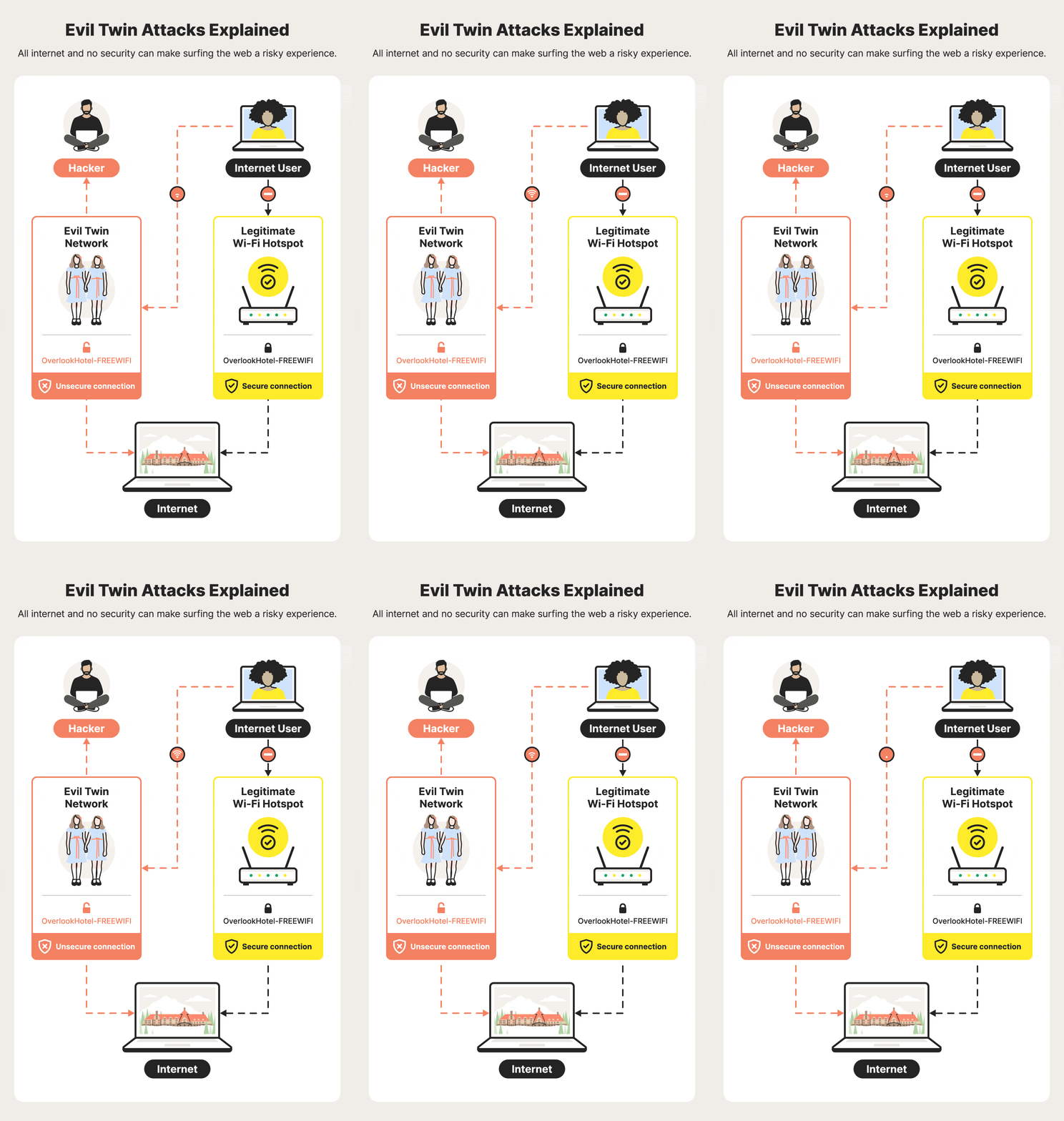
You board a flight, open your laptop, and see a familiar airline Wi-Fi name. You connect and keep working. That is exactly why the evil twin Wi-Fi trick is so effective. It copies a legitimate network name, then waits for you to hand over traffic, logins, or device trust without thinking twice.
A recent Delta flight leaving Las Vegas brought that risk back into focus. The detail matters because in-flight Wi-Fi is now normal, and attackers know people lower their guard at 35,000 feet. If you travel with work accounts, payment apps, or personal email on your phone, this is not some niche IT problem. It is a live security issue, and the fix starts before you tap connect.
Look, the scam is simple. The damage can be messy.
Why the evil twin Wi-Fi scam works
An evil twin network imitates a real hotspot. The name looks right. The login page may look right too. Your device sees a trusted-sounding signal and does the rest.
That is the trap. Wi-Fi names are easy to copy, and many travelers do not verify the network source beyond the label. On a plane, that risk gets worse because cabin Wi-Fi can feel routine, almost like boarding pass scanning or seatbelt checks.
“If the network name matches what you expect, that does not prove the network is real.”
How does the attack actually hurt you? In practice, it can enable traffic interception, fake captive portals, credential harvesting, or session theft if your device is misconfigured or you ignore certificate warnings. The exact outcome depends on the setup, but the threat itself is plain.
What happened on the Delta flight from Las Vegas
Reports around the Delta flight point to a suspicious Wi-Fi network appearing during the trip out of Las Vegas. The name matched what travelers might expect from an airline connection, which is the whole point of the trick. Once a fake network is visible, some passengers will connect before they think to verify it.
This is the same basic playbook criminals use in airports, hotels, and coffee shops. Aircraft are just a tighter, more distracting environment. People want to work, stream, or message family. And when the cabin is noisy and the connection is flaky, nobody wants a security detour.
Evil twin Wi-Fi: the checks you should run first
You do not need to become a network engineer to protect yourself. You need a fast routine, repeated every time.
- Confirm the exact network name. Check the airline’s official app, seatback instructions, or cabin crew guidance.
- Ignore open networks with slight spelling changes. One extra character is enough for a fake.
- Watch for login pages that ask for too much. A Wi-Fi portal should not need bank details or your corporate password.
- Turn off auto-join for public networks on your phone and laptop.
- Use a VPN if your employer allows it, especially for email and work systems.
That last step is not magic. It simply adds a useful layer. Think of it like using a locking front door on top of a deadbolt. One layer fails, the other still matters.
Red flags that should make you stop
- The network appears twice with tiny name differences.
- Your browser shows certificate warnings.
- The captive portal looks crude or shifts domains.
- You are pushed to log in again for no clear reason.
- The connection behaves strangely right after you join.
If you see any of that, disconnect. Fast.
What airlines and passengers can do better
Airlines can reduce the damage by making their official Wi-Fi instructions easier to find and harder to spoof. Clear naming, app-based confirmation, and visible cabin announcements help. But airlines alone cannot solve this.
Passengers need a baseline of suspicion. Not paranoia. Just discipline. The same habit that keeps you from clicking a fake delivery text should apply to in-flight Wi-Fi.
Use safer defaults. Keep file sharing off. Leave Bluetooth off unless you need it. Avoid logging into sensitive accounts on an unknown network if you can wait until you land.
And if you work in travel, payments, or live events, this has a wider operational angle. Public connectivity is part of the experience now, whether you are on a plane, in a stadium, or at a casino floor event. The network is no longer just a utility. It is part of the risk surface.
What this means for frequent flyers
Frequent flyers often get numb to these warnings because nothing bad happens most of the time. That habit is exactly what attackers count on. The play is boring, low-cost, and repeatable. Why would they invent something fancier?
Here is the practical answer: keep your devices ready before takeoff. Update your phone, install your VPN, save offline copies of the files you need, and log out of accounts you do not plan to use. That small prep work beats trying to fix the problem midair, when your options are limited and your attention is split.
Security on the road works best when you make it boring. Verify, connect, limit damage, repeat.
One last thing before you tap connect
The next time you see an airline Wi-Fi name, treat it like a boarding pass. Check it carefully before you trust it. That is the whole game. If the network is real, you lose nothing by verifying. If it is fake, you may save yourself a very ugly day.
So the question is simple. Will you keep connecting on autopilot, or will you spend ten seconds confirming the name before you go online?